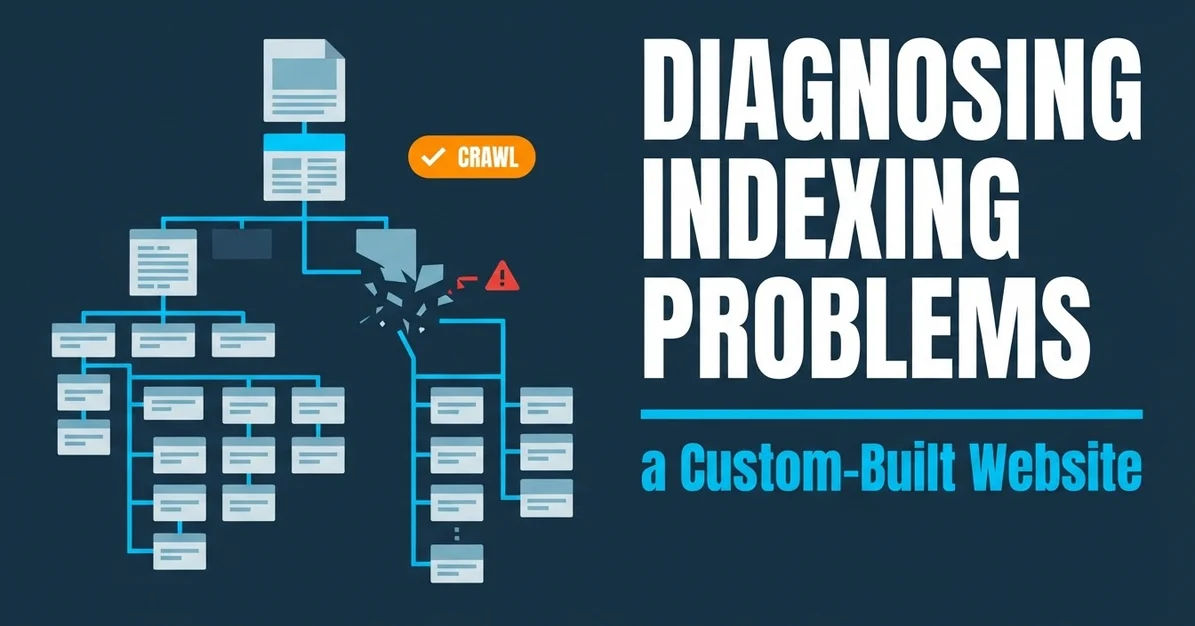
To diagnose indexing problems on a custom-built website, start with the affected URL and the evidence behind the reported issue, then trace the relevant behavior through the platform’s routes, templates, data structures, rendering, and deployment. Don’t assume the CMS caused the problem just because the issue appears on a custom platform. The aim is to give the right person a precise investigation request—not to guess at a setting or prescribe a code change without knowing how the site works.
Before starting, gather the affected URL, any crawl finding or other evidence already available, the name or description of the platform stack, and a way to reach someone who can explain the platform’s behavior. Allinclusive. identifies these platform layers as relevant to custom-platform SEO work and advises providing the crawl, stack, and access to the behavior. Its material does not give a universal set of interface steps or technical checks. Where those details are missing, record the question for the platform team rather than inventing a workflow.
Summary
Diagnose a custom-platform indexing issue by documenting what is known, mapping the platform areas that could be relevant, and asking engineering to explain the behavior that remains unresolved. A crawl finding can help frame the investigation, but it does not establish why a URL behaves as it does.
Keep observations separate from explanations. Record the exact URL, the reported symptom, the evidence supporting it, and what still needs to be checked. Don’t turn a concern about routes, templates, canonical signals, rendering, or deployment into a conclusion about the cause.
Make the handoff useful: specify the unresolved behavior, ask who can trace it, and record what evidence and follow-up QA the team needs to provide. For specific checks—such as where sitemap or robots behavior is controlled—the available evidence does not supply a reliable, platform-specific procedure.
Define the indexing symptom before assigning a cause
Start by recording the affected URL and the issue as it was reported; don’t assign a platform-level cause until you have evidence that connects the symptom to a particular layer. Custom platforms can have SEO issues tied to templates, route logic, deployment behavior, or CMS constraints, but naming those areas does not diagnose a particular URL.
Create a short issue record before requesting a fix. Include:
- The exact URL under discussion.
- The reported symptom, in the reporter’s words where possible.
- The evidence currently available, such as a crawl finding, and who or what supplied it.
- What the evidence shows—and what it does not show.
- Any relevant platform or deployment context already known.
- The question that needs an answer before anyone can propose a change.
For example, “The crawl reports a duplicate-path concern for this URL” is more useful than “The CMS is creating duplicate pages” if the cause has not yet been traced. The first statement describes a finding; the second asserts an explanation. Keep them separate unless an investigation has established the connection.
Also record unknowns plainly. You may not know how the URL is generated, which template serves it, whether a particular platform rule applies, or who can inspect that behavior. An unknown is not evidence that a feature is absent or broken. It is a question to resolve.
This distinction matters because a platform-wide explanation can send the team toward the wrong fix. A finding about one page does not, by itself, establish a defect in every page using the same CMS. Conversely, a clean-looking page record does not answer questions about behavior controlled elsewhere in the application. At this point, the practical outcome is a bounded problem statement: the URL, the observed concern, and the evidence still needed. The cited custom-platform guidance supports tracing an issue to the layer where it can be fixed; it does not provide a symptom-classification method or verification threshold.
Map the custom platform components that can affect indexing
Map the parts of the platform that could be relevant to the reported issue, and identify who can explain or access their behavior. For custom websites, the areas named in the available guidance include routes, templates, data structures, route logic, deployment behavior, and CMS constraints. That list is a starting map, not proof that any one of those components is responsible.
Build the map around the affected URL rather than trying to document the entire application. For each potentially relevant area, write down what is known, who supplied that information, and what remains unanswered. A simple working note could look like this:
- URL or route: What is known about how the affected address relates to the platform’s routing? What still needs to be explained?
- Template: Is the relevant template known? If not, who can identify it?
- Data structure: What content or application data is understood to be associated with the page? What is unconfirmed?
- Platform constraints: Has anyone identified a CMS or application constraint that limits possible changes?
- Deployment behavior: Is any relevant release or deployment behavior already documented? If not, who can describe it?
- Access to behavior: Which person or team can answer questions about the relevant layer?
These entries are questions for organizing the investigation, not instructions to inspect a particular file, dashboard, or setting. The available evidence does not name a universal interface or access procedure for custom platforms. Don’t write “check the route configuration” as though every site has a known configuration screen. Ask the person responsible for the platform to identify where that behavior lives and how it can be reviewed.
Access to the relevant behavior can be a separate handoff need. The guidance recommends supplying the crawl, the stack, and access to the behavior. In practice, translate that into a handoff that names the information you have and identifies who can explain or provide access to the missing behavior. If nobody knows who owns a layer, record that ownership gap instead of treating it as a technical finding.
A useful map narrows the conversation without pretending to resolve it. Its purpose is to help the team move from “something about indexing seems wrong” to “this is the URL, this is the relevant platform area we need explained, and this is who can help.” The specific access path still depends on the site.
Trace URL-generation and routing questions without assuming the cause
Use an existing crawl finding to identify URL-generation or routing questions, then ask the platform team to explain the relevant behavior. Custom-platform guidance names URL generation, duplicate paths, faceted states, status codes, and index control as areas that may matter. It does not explain how to run a crawl, what any finding means for a particular URL, or how to verify a route.
Start with the URL and the wording of the finding. Record whether the concern involves a duplicate path, a faceted state, a status code, or another crawl observation—but don’t promote the label into a diagnosis. A crawl finding identifies a question to investigate; the available evidence does not establish its cause or say that a particular route is incorrect.
Then give engineering a question they can answer about the platform, such as: “How does this URL get generated, and what routing behavior explains the crawl finding?” If the issue appears to involve more than one path, include the paths already present in the finding. Ask the platform team to explain whether those paths correspond to distinct platform behavior or whether the relationship remains unknown. Don’t prescribe an implementation change until that behavior has been explained.
Keep a short record of the answer and any remaining uncertainty:
- What route or URL-generation behavior did engineering describe?
- Which part of the crawl finding does that explanation address?
- What remains unexplained?
- Who can provide the next piece of information?
- What follow-up verification method does the platform team recommend?
That last question is not a substitute for a technical check. It makes the missing procedure explicit. The admitted evidence does not provide executable crawl steps, route-specific verification, or a rule for interpreting a finding. If engineering cannot yet describe a verification method, leave the investigation open rather than declaring the issue fixed.
This approach also prevents a common handoff failure: sending a developer a crawl label without the exact URL or the question that needs answering. A useful request preserves both the finding and its limits. It does not assume that every duplicate-path concern comes from route logic, that a faceted URL has a particular meaning, or that a status-code observation has a specific cause. Those conclusions require information about the individual platform and URL.
Organize template and index-control signals for investigation
Group the relevant template and index-control questions, but don’t claim to have checked a setting unless you know where it is and how it can be verified on that platform. The available custom-platform guidance names titles, canonicals, robots directives, pagination, schema, reusable content logic, and index control as investigation areas. It does not specify where those signals are configured or how to inspect them.
You can still make the investigation easier to follow by turning the list into questions for the platform owner or developer. For the affected URL or template, ask which component supplies the title, whether canonical behavior is managed there or elsewhere, how robots directives are produced, and whether pagination or reusable content logic applies. These are prompts for discovery; they are not assertions that the site has a particular control panel, template file, or setting.
For each question, record three things: the platform behavior that has been confirmed, the person who confirmed it, and the part that remains unknown. For example, “Canonical behavior: not yet explained; ask the engineer who owns the page template” is more precise than “canonical is wrong” when nobody has established what the page emits or where that behavior comes from. Apply the same distinction to titles, robots directives, schema, pagination, and reusable content logic.
Treat sitemap inclusion and response checks as separate open questions unless the team has a documented procedure for the platform. The evidence available here does not establish how to inspect sitemap inclusion, canonical signals, robots or noindex directives, or HTTP responses. It also does not provide an interface, setting, expected value, or verification step for those checks. Don’t fill those gaps with generic instructions presented as if they were confirmed for a custom-built site.
This boundary is practical, not academic. A list of SEO signals can help the team decide what to investigate, but it cannot tell you where those signals come from or whether a particular value is appropriate. Ask engineering to identify the source of the relevant behavior and to explain how it can be reviewed. If the team cannot provide that explanation, record it as a dependency in the investigation. The next action is to obtain the platform-specific procedure—not to guess at a setting or report an unverified change as a fix.
Treat rendering and deployment as questions to investigate, not conclusions
Document what is known about rendered content and deployment behavior, then ask an engineer for the evidence needed to interpret it. Custom-platform guidance identifies what search engines receive, client-side behavior, rendering, and deployment behavior as relevant areas. It does not provide a rendering test, tool instructions, platform-specific locations, or verification steps.
Begin by stating what is already known about the page’s rendering or release history, if anything. Distinguish confirmed information from a concern or assumption. “We need engineering to explain what the rendered page contains” is a useful open question. “Client-side rendering is preventing indexing” is a causal conclusion that the available evidence does not establish.
Ask the person responsible for the platform to describe the behavior relevant to the URL and to identify what evidence would demonstrate it. If a recent deployment is part of the concern, record that as context and ask how the team can trace the relevant change or release behavior. Do not assume that a deployment caused the issue simply because the timing seems related, and do not assume that the same rendering behavior applies to every template or route.
A clear note for this part of the investigation should capture:
- The rendering or client-side behavior that is reported or already documented.
- Whether that information comes from engineering, a crawl, or another supplied record.
- Any connection to deployment behavior that has been confirmed.
- The evidence still needed to explain what the platform produces for the affected URL.
- Who can provide that evidence and what verification method they recommend.
The point is to make the uncertainty actionable. If nobody can yet say what the page’s rendered output is or how to examine it on this platform, record that gap and ask the responsible engineer to provide the applicable method. Don’t insert generic tool steps: none are supported by the admitted material. Likewise, don’t treat the mention of rendering or client-side behavior as proof that either one is the cause.
A useful handoff keeps the distinction between “area worth investigating” and “cause established” intact. That gives engineering room to trace the behavior rather than defend against an unverified diagnosis. It also gives the person coordinating the issue a concrete next step: obtain a platform-specific account of the relevant rendering or deployment behavior and document how the team will confirm its explanation.
Turn findings into a developer-ready investigation and follow-up
Turn the findings into a concise request that names the URL and crawl observation, asks engineering to trace the relevant platform behavior, and records what follow-up QA still needs to establish. Custom-platform guidance supports developer-ready specifications, questions during implementation, and pre-release and post-release QA. It does not prescribe a particular test or verification method, so the team must document the method that fits its platform.
A developer-facing request can use this structure:
Keep the request narrow enough that someone can answer it. “Fix indexing” does not identify a behavior to trace. “Please explain how the platform generates or routes these paths and what evidence can confirm that behavior for this URL” asks for an investigation without prescribing a fix.
Hypothetical example: Suppose a crawl flags https://example.com/catalog/item-a?color=blue alongside another path as a duplicate. This is an illustration, not a report of an observed site or a performed test. Include both paths from the finding, ask engineering to trace URL generation or routing, and request an explanation of how the platform treats them. If engineering confirms a relevant behavior that needs changing, ask the team to document the proposed change and the applicable post-change QA. The available evidence does not specify a test, tool, expected result, or verification procedure for this example, so none should be invented. The follow-up check must be defined by the people who can inspect the platform.
Close the issue only when the agreed investigation has produced an explanation and the team has recorded whatever QA it used. If the explanation is still uncertain, the implementation method is undocumented, or the verification approach has not been supplied, keep those items visible as unresolved. Pre-release or post-release QA is a supported part of a developer-ready workflow; a particular test result is not implied by that recommendation.
The result is a more useful diagnosis even before a technical fix exists: the team knows which URL is affected, what the available evidence says, which platform behavior needs tracing, who can explain it, and what remains to be verified. That is a sound basis for the next decision without claiming more than the investigation has established.
Last content update: November 3, 2026.