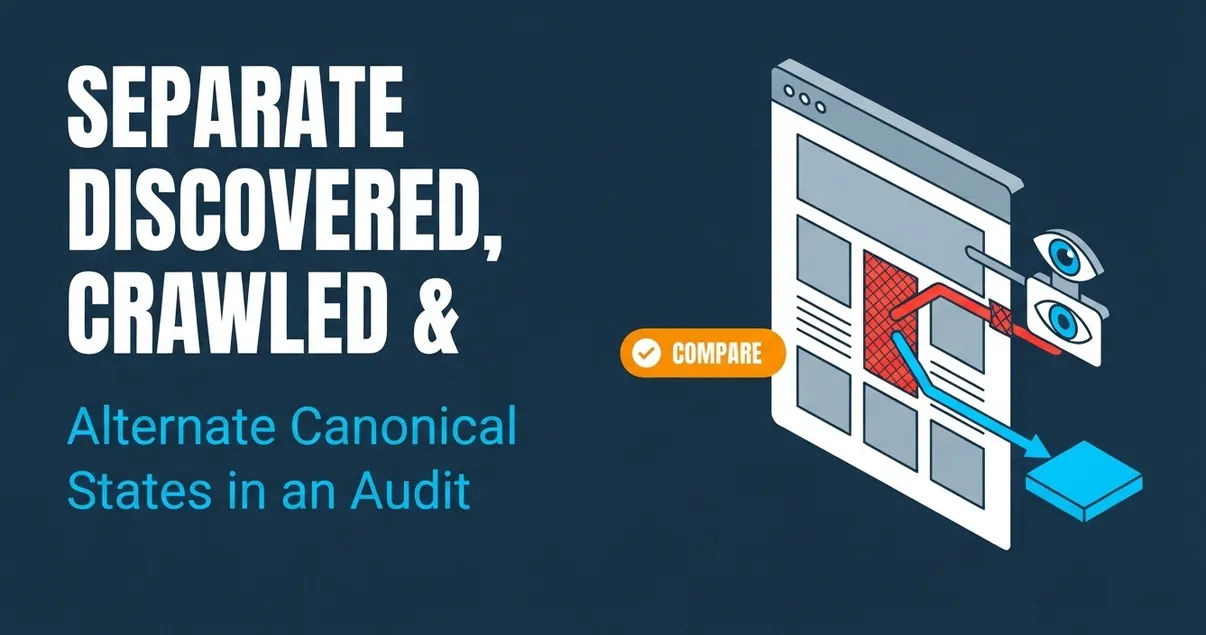
An indexing audit should separate three different outcomes: Google knows about a URL but has not crawled it, Google has crawled it but has not indexed it, or Google treats it as an alternate to another canonical page. Those labels call for different checks. Start by deciding what each URL is supposed to do, then compare that intent with the report status and evidence from the live page.
Summary
- Set an intended search outcome for each URL before treating an exclusion as a defect. Some URLs, such as deliberate variants or removed pages, may not belong in the index.
- Read “Discovered – currently not indexed” as a crawl gap and “Crawled – currently not indexed” as a post-crawl outcome. Neither label identifies its own cause.
- Treat “Alternate page with proper canonical tag” as a relationship to verify, not an automatic error. Keep it if the preferred page is the one you want indexed; investigate if it isn’t.
Set the intended outcome before reading indexing states
Before interpreting an indexing status, decide whether the exact URL should appear in search and what page, if any, it should point to as its preferred version. That intent gives the report context: a deliberately excluded variant and a distinct page that should stand on its own need different decisions.
The Google Page indexing report groups reasons URLs are indexed or not indexed. A non-indexed status is not automatically an error; the specific reason matters. For an individual URL on a property you control, use URL Inspection to review its reported state. Treat the report as evidence to interpret, not a complete diagnosis.
Keep four stages distinct:
- Discovery: Google has become aware of the URL. A sitemap entry or a link may help make a URL findable.
- Crawling: Google has requested the page. Discovery does not mean a crawl has happened.
- Indexing: Google may add a crawled page to its index. A crawl does not mean the page was indexed.
- Canonical selection: For duplicate or similar URLs, Google may select one preferred version. An alternate URL can be excluded while the preferred canonical is indexed.
Create a working record before changing anything. For each URL, write down the exact address, page type, intended indexing outcome, expected canonical, and owner responsible for the page. Then record the current evidence separately: the report reason, the live response, any redirect destination, indexing directives, declared canonical, and Google-selected canonical when available. Capture when you gathered the evidence so you don’t treat observations from different points in time as though they describe one state.
This separation prevents a common audit mistake: treating the number of excluded URLs as the number of problems. A URL can be correctly excluded because it is a duplicate or an intentional alternate. For any other non-indexed URL, assess whether it is important and intended to appear in search. Classify first, diagnose second.
How to Audit Site Search Links to Important Pages→Audit “Discovered – currently not indexed” without assuming a page problem
“Discovered – currently not indexed” means Google knows about the URL but has not crawled it yet; the status alone does not prove that the page itself is faulty. The next check is whether the intended canonical URL has a clear discovery path, not whether you can guess why Google has not requested it.
For each affected URL, record the exact address shown in the report. Then compare it with the URL you intend search engines to find. If the reported address is a parameter variant or another alternate, first establish whether it should be indexed independently or point to a preferred page.
Next, inspect the site’s served links and sitemap:
The label is not a verdict on content quality. Google Indexing: Check and Fix Your Pages describes this state as Google knowing the URL without having crawled it, and cautions that the status alone doesn’t prove a page-specific problem. The guide also identifies crawl demand, URL depth, internal links, and overall quality as possible areas to consider, but the status itself doesn’t tell you which one explains an individual URL.
The Jam audit guide recommends checking links, sitemap inclusion, and URL Inspection as part of a URL-level investigation. Those are concrete checks; they don’t establish the cause in advance. If you can confirm a missing link or sitemap entry, you have a specific discovery gap to address. If you can’t, leave the cause unresolved rather than labeling the page defective.
Diagnose “Crawled – currently not indexed” from page-level evidence
“Crawled – currently not indexed” means Google has crawled the page but has not added it to the index at that stage; the label does not identify a single cause. Start with evidence from the live URL and the page Google is being asked to assess, then compare its directives, content, and canonical relationship with the intended outcome.
Use a record for the exact URL, not just a sitewide export. Check the current response and any redirect destination so you know which page a request reaches. Then inspect the live page and its indexing directives. A report status by itself does not prove that a particular directive, response, or content issue is responsible.
For a URL intended to be indexed, work through these checks:
- Live response: Confirm what the URL currently serves, whether it redirects, and where it ends up. Record the observed response and final destination. If the live page differs from the URL in the report, keep those addresses distinct in your notes.
- Indexing directives: Review the page’s directives and note whether they match the intended indexing state. A directive that conflicts with the goal is a concrete mismatch to investigate; don’t infer one simply from the status.
- Rendered page and main content: Check what the page presents when rendered and whether its main content is available and consistent with the intended page. Look for a rendering or template problem only when the page evidence supports that concern.
- Canonical relationship: Record the canonical declared by the page and, where available in the report, the canonical Google selected. Compare both with the URL you expect to represent the content.
- Duplication and template pattern: Compare the page with the canonical destination and relevant pages using the same template. If the pages substantially overlap or a template applies the wrong canonical, document that specific pattern before making a change.
Google Indexing: Check and Fix Your Pages names rendering, canonical choice, duplication, main content, and template errors among the checks for this state. It also makes clear that the status has no single cause. The Jam audit guide recommends using URL-level evidence, including the response and indexing directives, rather than treating an outcome as a diagnosis.
Choose an action only after you identify a mismatch. For example, if the page declares a canonical that conflicts with the intended page, investigate that relationship. If the live page and canonical match the intended outcome, the report label alone does not justify rewriting content or changing the template. Record what you confirmed and what remains unknown.
How to Fix an Alternate Canonical for a New Blog Post→Decide whether “Alternate page with proper canonical tag” is correct
“Alternate page with proper canonical tag” can be the expected state when a URL is genuinely a variant and Google’s selected canonical is the page you want indexed. The key audit question is not how to remove the alternate from the report; it is whether the relationship between the alternate and preferred page matches your intent.
Begin with the exact alternate URL and the canonical destination. Compare their content and purpose. Ask whether the alternate merely changes how the same content is accessed or presented, or whether it is meant to be a distinct page with its own search purpose. The URL shape alone doesn’t settle that decision.
Then record the current canonical evidence:
- What canonical does the live alternate page declare?
- What destination does that declaration name?
- Does the destination serve the page you actually want people to find?
- Is Google’s selected canonical available in the evidence for the property you control, and does it agree with your intended page?
- Do relevant links and sitemap entries point to the preferred URL you intend to represent the content?
If the alternate is deliberate and the chosen canonical is right, keep the relationship. Trying to make every alternate URL indexable can work against the intended setup. Google Indexing: Check and Fix Your Pages describes the state as generally healthy when the URL is a deliberate variant and the chosen canonical is the intended page.
If the canonical destination is wrong, investigate the signals rather than changing the tag in isolation. Compare the pages, check the live canonical, and look for inconsistent internal links or sitemap inclusion. The alternate-canonical guide recommends comparing the alternate with the destination and checking the current canonical. It also distinguishes a valid alternate from a separate page that has been incorrectly treated as one.
A canonical preference does not guarantee indexing. Its purpose in this audit is to express which version should represent duplicate or similar content. If the alternate is actually a distinct page, confirm that its content and purpose support that distinction before correcting the relationship. A self-referencing canonical by itself doesn’t establish that two pages deserve separate indexing if the content remains substantially the same.
Compare the three states using one URL-level evidence record
Use one evidence record per exact URL to distinguish a crawl gap, a post-crawl outcome, and an alternate-canonical relationship. Keeping the reported state alongside the intended state and live-page evidence makes it easier to select the next check without turning unlike cases into one sitewide problem.
A practical record can include:
- Exact URL and page type.
- Intended outcome: index this URL, keep it as an alternate, or exclude it intentionally.
- Expected canonical URL, if there is one.
- Reported indexing reason and the time you captured it.
- Current response and redirect destination, if any.
- Internal link and sitemap evidence for the intended canonical.
- Indexing directives and declared canonical.
- Google-selected canonical and crawl information when available for a property you control.
- The mismatch you confirmed, or the specific evidence you still lack.
The state then points to a different next check. For “Discovered – currently not indexed,” begin with whether the intended canonical is exposed through an accessible internal link and sitemap entry, then use available URL Inspection evidence. For “Crawled – currently not indexed,” examine the live page, directives, rendering, content, and canonical relationship. For “Alternate page with proper canonical tag,” decide whether the alternate relationship is intentional and whether the preferred page is correct.
This record also protects against overreading search results. A site: query can be an indicator, but it is not definitive proof of full index coverage. Search Console URL Inspection is available only for properties you control. If you cannot access URL-level evidence for a property, say so in the audit record rather than presenting a search sample as a conclusive diagnosis.
The Jam audit guide recommends recording the exact URL, expected canonical and indexing state, response, directives, declared and Google-selected canonicals when available, and capture time. Its method is useful because it keeps the observation tied to the page being investigated. A report count, a search sample, and a live-page check are different kinds of evidence; don’t treat them as interchangeable.
Choose a conditional correction and verify the intended state
Change a signal only when the evidence shows that it conflicts with the intended outcome. After a correction, verify the live page and the URL-level evidence available in Search Console; submitting or exposing a URL does not guarantee that Google will index it.
A useful decision sequence is:
- Name the mismatch. State the intended outcome and the evidence that contradicts it. Examples include an unintended canonical destination or a missing internal link to the intended URL. Don’t make a broad template change based only on a status label.
- Correct the relevant signal. If a canonical points to the wrong page, adjust it to express the intended relationship. If discovery evidence confirms that the intended URL lacks a relevant internal link, add that link from an accessible page. If the sitemap omits the intended canonical, include that URL there. Change only the element supported by the diagnosis.
- Verify what the site serves. Revisit the live page and confirm the canonical, link, or sitemap entry now reflects the intended setup. Record the URL checked and the observed value.
- Review URL-level evidence where available. For a property you control, use URL Inspection to assess the individual URL and record its reported state. A corrected live signal and a reported indexing state are separate observations; don’t describe one as proof of the other.
- Leave timing open. The supplied evidence does not set a recheck deadline or promise when a report will change. Record the time of your verification and check again based on your own audit process, without presenting a fixed wait as a guarantee.
Hypothetical example—not a test: Assume https://example.com/services/emergency-roof-repair/ is meant to be a distinct service page, but its live canonical points to a broader service page. The URL and its intended purpose are assumed inputs here, not evidence about a real site. If inspection confirms that the canonical is unintended, correct it to reflect the intended relationship. Then check the live page’s canonical, review relevant internal links and sitemap inclusion, and inspect the URL-level Search Console evidence if you control the property. If the live canonical already matches the intended relationship, don’t make that correction merely because the URL appears in an alternate or non-indexed state.
The Google Page indexing report supports URL Inspection for an individual URL and describes a sitemap or other discovery methods for making pages findable. The Jam audit guide supports verifying that links and sitemap entries are served.The audit is complete when the intended signal is confirmed and the remaining indexing state is recorded accurately—not when every excluded URL has disappeared from a report.
Content update: November 7, 2026.